VIM Plug-in
本文最后更新于:Wednesday, September 30th 2020, 8:05 pm
VIM-Plugs
1、vim-plug: 插件管理器
1 | |
command
- :PlugInstall // 安装插件
- :PlugClean // 清理invalid插件
- :PlugUpgrade // 升级插件
- :PlugDiff // 查看现有插件与下载地址处插件不同,即检测更新细节
- :PlugStatus // 查看插件加载情况
- :PlugSnapshot // 生成用于恢复当前插件快照的脚本
feature
1
2
3
4
5
6
Plug 'zhuzhzh/verilog_emacsauto.vim', {'for': ['verilog', 'systemverilog'] }
// 当且仅当打开的文件为Verilog或者systemVerilog时加载此插件
Plug 'scrooloose/nerdtree', { 'on': 'NERDTreeToggle' }
//当且仅当触发toggle命令时加载此插件
1 | |
2、lightline:彩色状态栏

3、vim-colors-solarized:比较舒服的配色方案
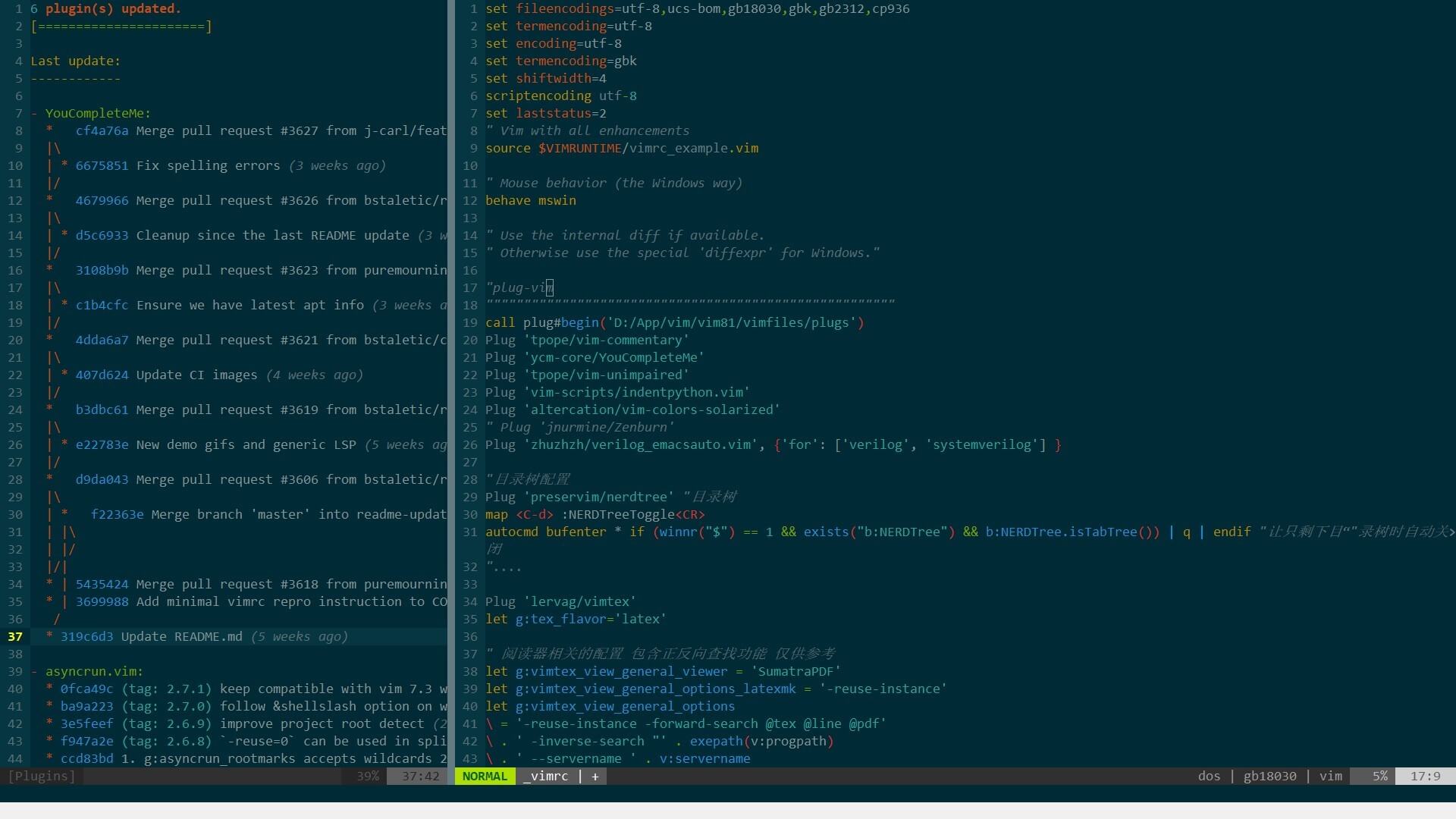
此插件含有两种色调:dark;light
call togglebg#map(“
“) // 可以设置快捷键自行切换
4、youcompleteme:自动补全
5、vim-snippets+SirVer/ultisnips : 代码片填充
第一个插件提供好多语言的代码片文件。第二插件提供的填充引擎。
snippet有两种格式:
snippets/*: snippets using snipMate formatUltiSnips/*: snippets using UltiSnips format
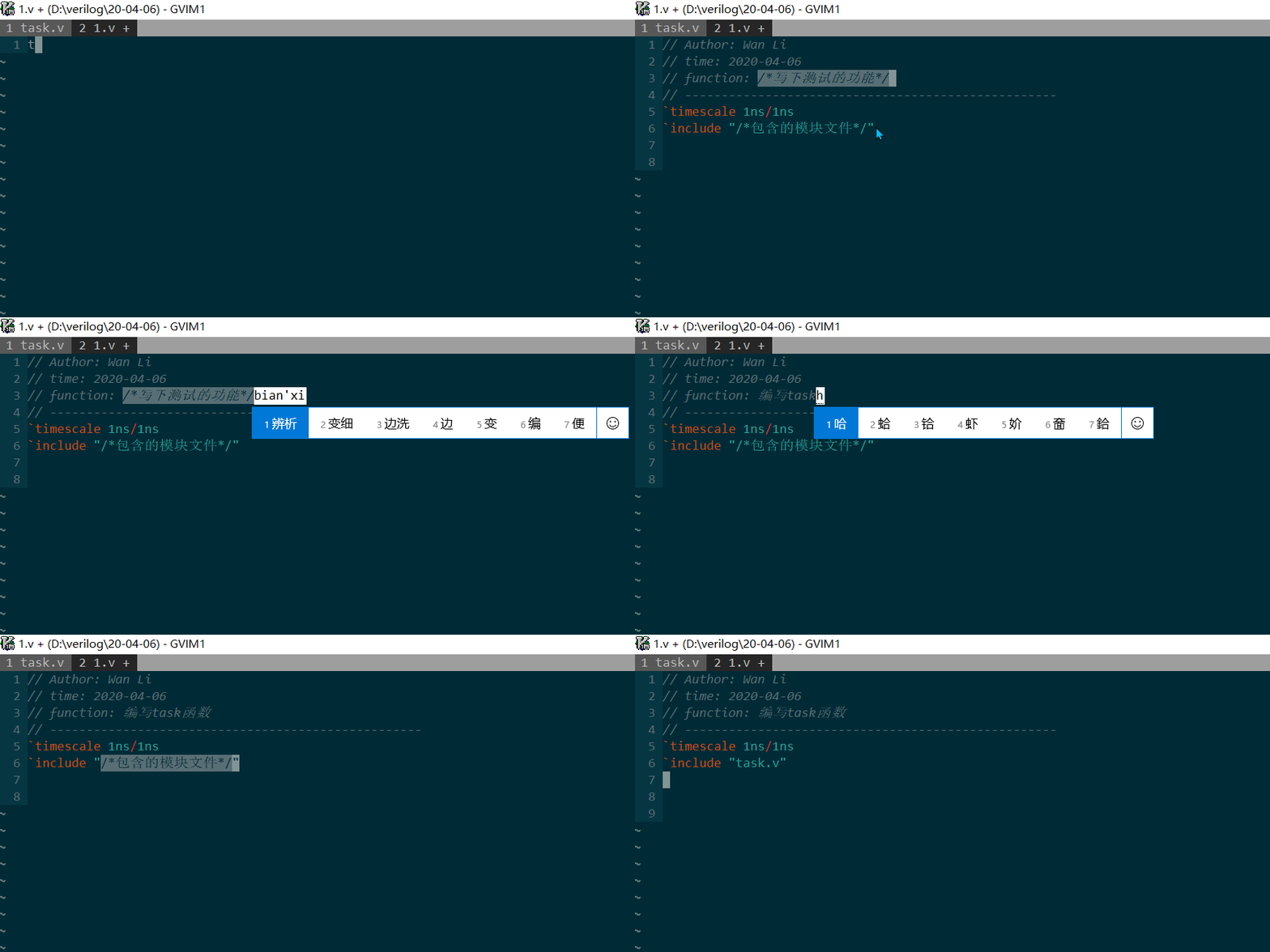
1
2
3
4
5
6
7
8
9
10
11
12
13
14
可以自己编写snippets文件	{n}代表要填写的空白处。/* placeholder*/
snippet test
	// Author: Wan Li
	// time: `strftime("%Y-%m-%d")`
	// function: ${1:/*写下测试的功能*/}
	// ---------------------------------------------------
	\`timescale 1ns/1ns
	\`include "${2:/*包含的模块文件*/}"


配置_vimrc文件
let g:UltiSnipsExpandTrigger="<c-j>"		//ctrl + j 触发
let g:UltiSnipsJumpForwardTrigger="<c-b>"	//ctrl + b 跳到下一个需要填写的空处
let g:UltiSnipsJumpBackwardTrigger="<c-z>"	//ctrl + z 跳到上一个需要填写的空出
1 | |
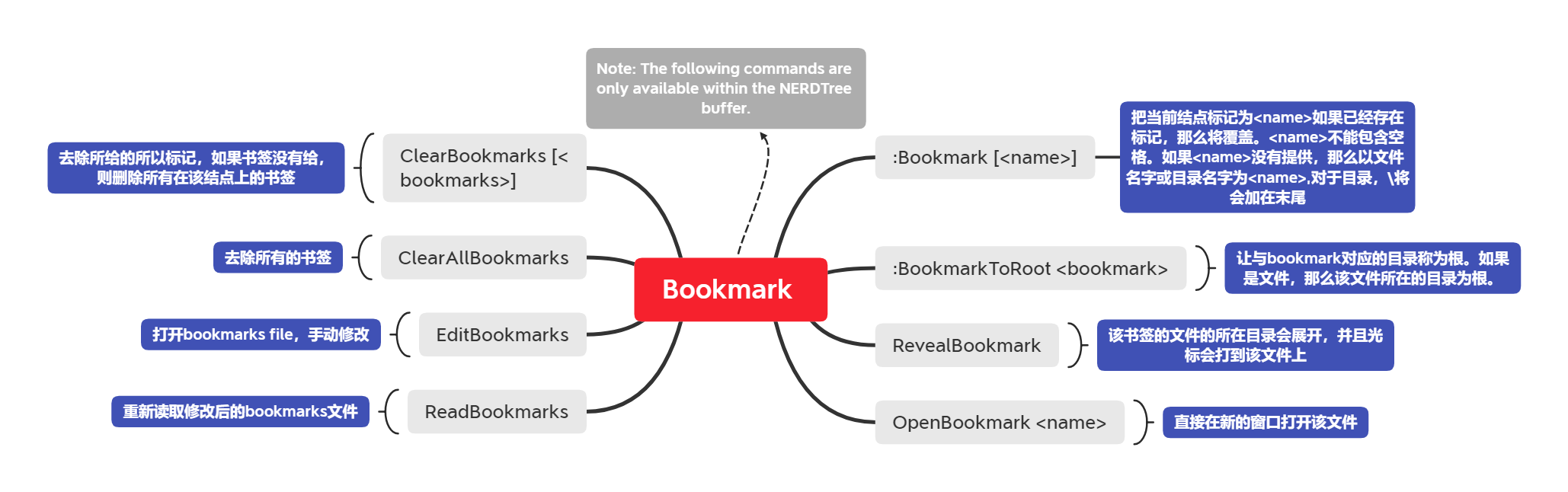
6、nerdtree: 可视化目录树
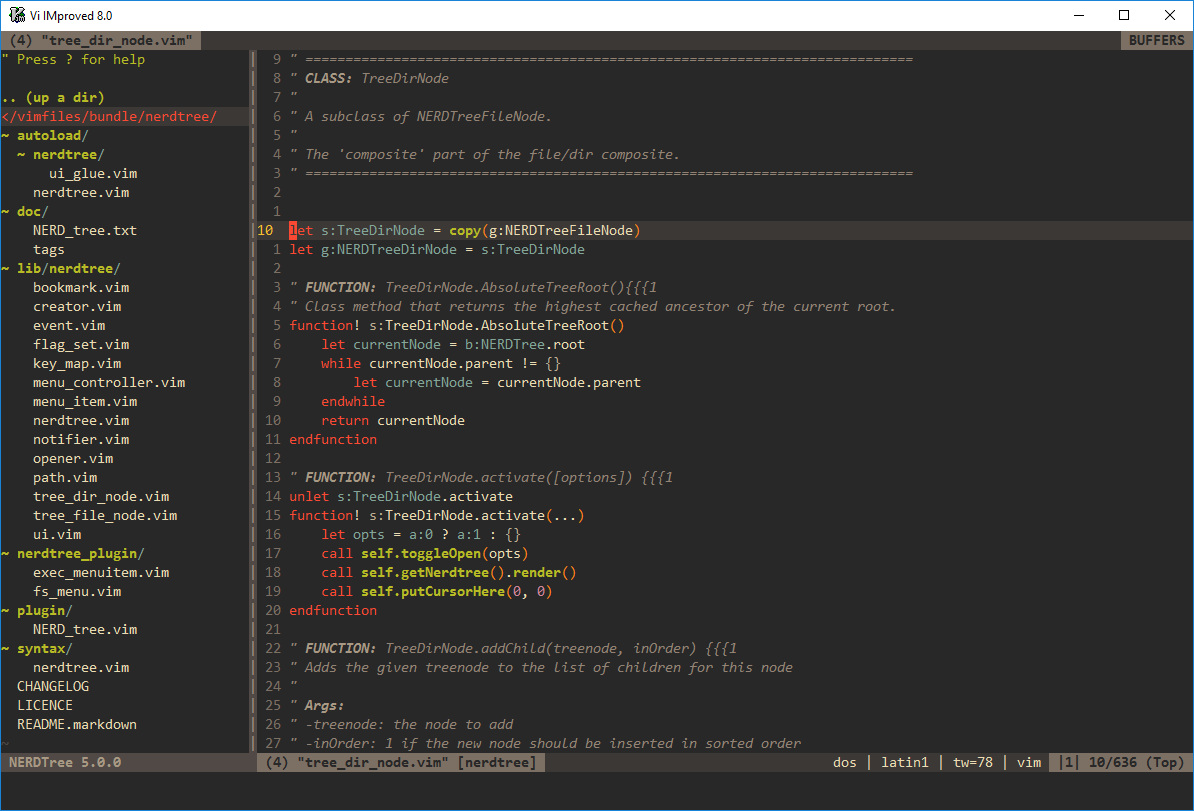
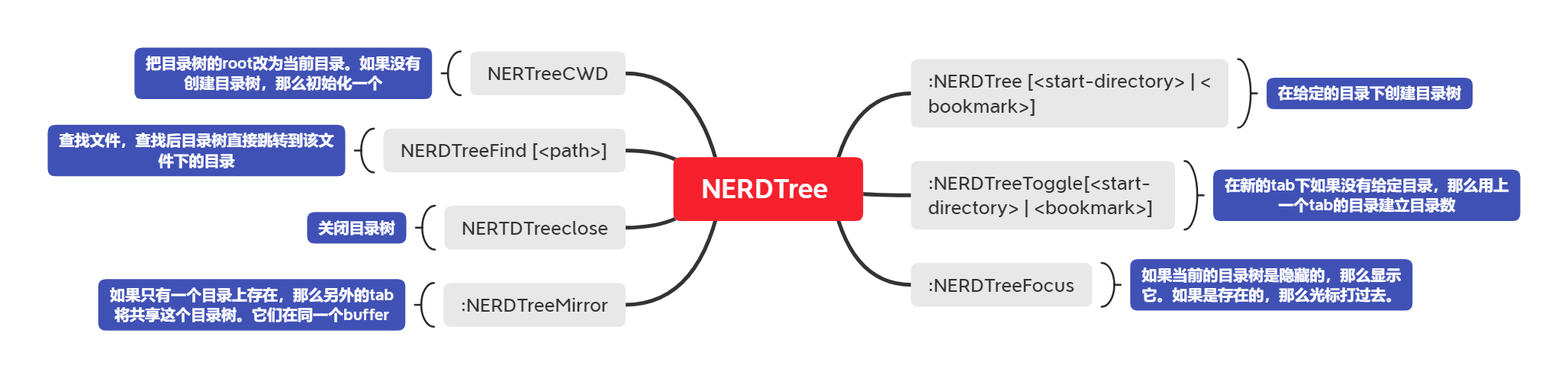
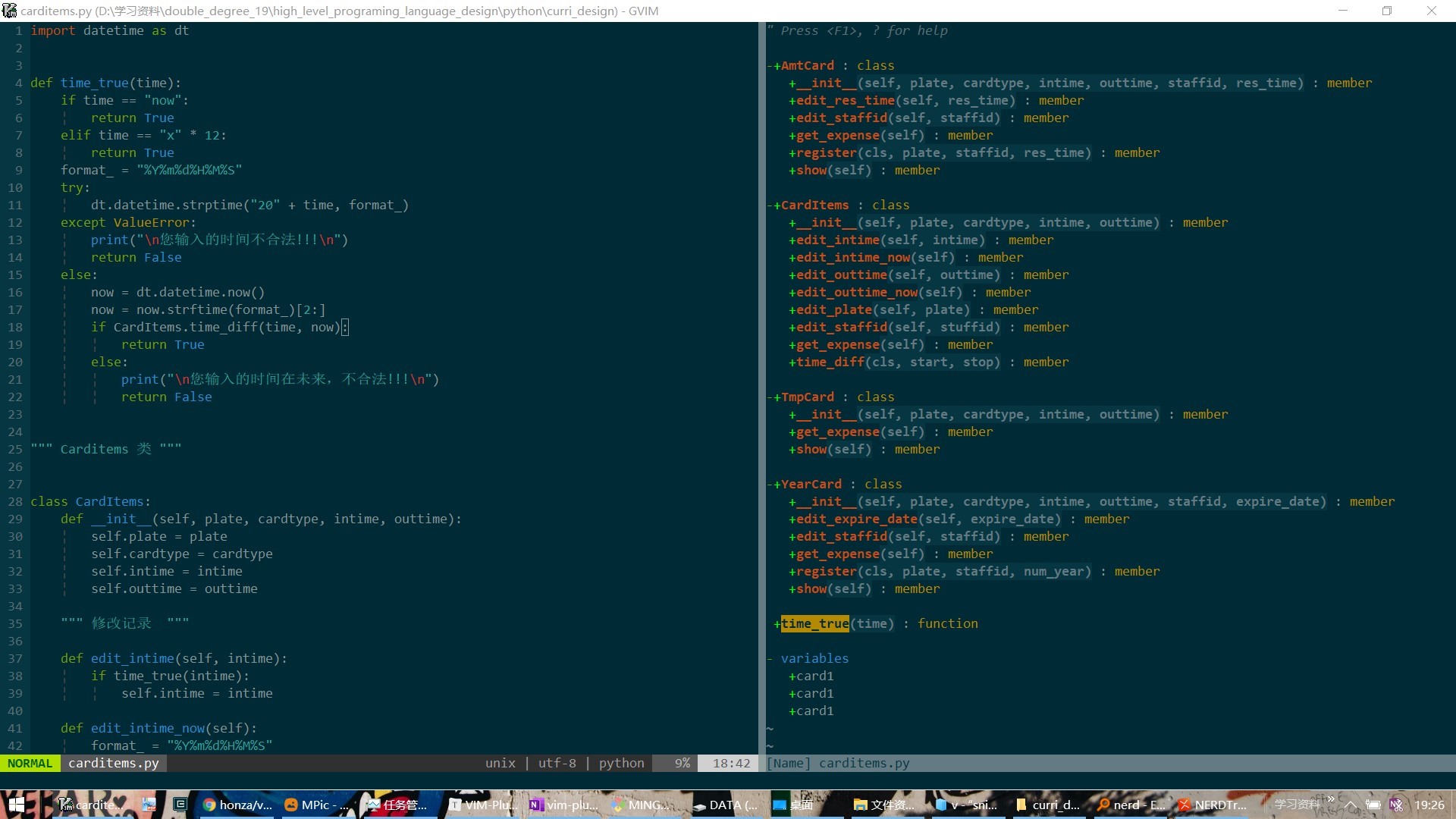
7、tabbar: 整齐的标签窗口
8、tpope/vim-commentary: 快速注释
gcc :注释/取消注释一行
gc{motion}
gc : 注释selection块
7,17 Commentary
9、vim-gutentags:借助universal ctags 自动产生标签文件🌮

有了这个标签文件,你又可以<C+]>跳转
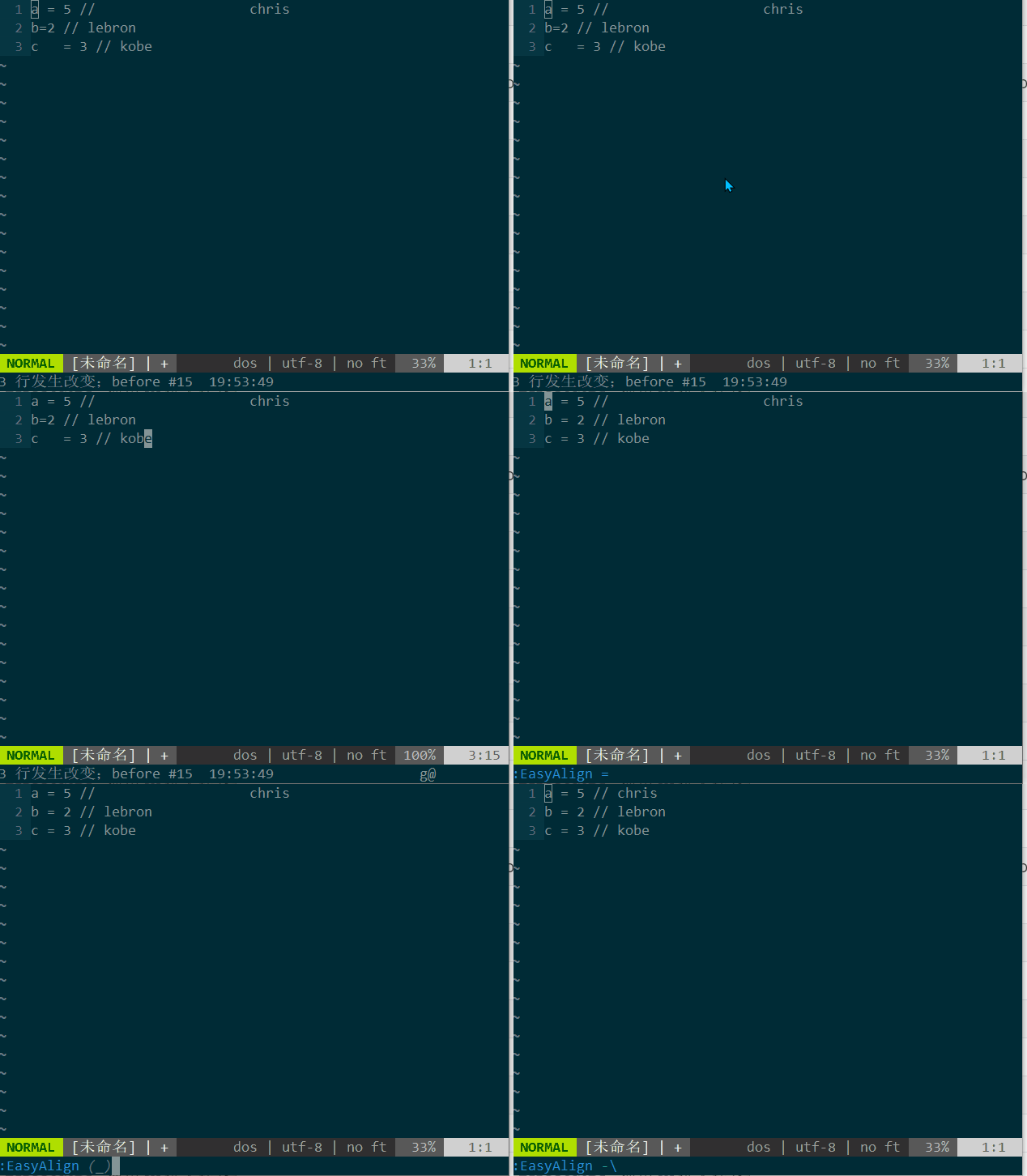
10、vim-easy-align:自动对齐
按官方配置来设置快捷键/ga触发
“ Start interactive EasyAlign in visual mode (e.g. vipga)
xmap ga(EasyAlign) “ Start interactive EasyAlign for a motion/text object (e.g. gaip)
nmap ga(EasyAlign)
1Around the 1st occurrences of delimiters2Around the 2nd occurrences of delimiters- …
*Around all occurrences of delimiters**Left-right alternating alignment around all delimiters-Around the last occurrences of delimiters (-1)-2Around the second to last occurrences of delimiters
| Key | Description/Use cases |
|---|---|
| `` | General alignment around whitespaces |
= | Operators containing equals sign (=, ==, !=, +=, &&=, …) |
: | Suitable for formatting JSON or YAML |
. | Multi-line method chaining |
, | Multi-line method arguments |
& | LaTeX tables (matches & and \\) |
# | Ruby/Python comments |
" | Vim comments |
| `` | Table markdown |
本博客所有文章除特别声明外,均采用 CC BY-SA 3.0协议 。转载请注明出处!